Skip to content
Arvelops
All work
Data & dashboards

Contact center analytics

Virtual customer service department of an electricity distribution company · Dominican Republic

A monthly statistic built by hand in spreadsheets, turned into a dashboard that writes its own finding.

From 30–45 minutes of manual work to uploading 2 files.
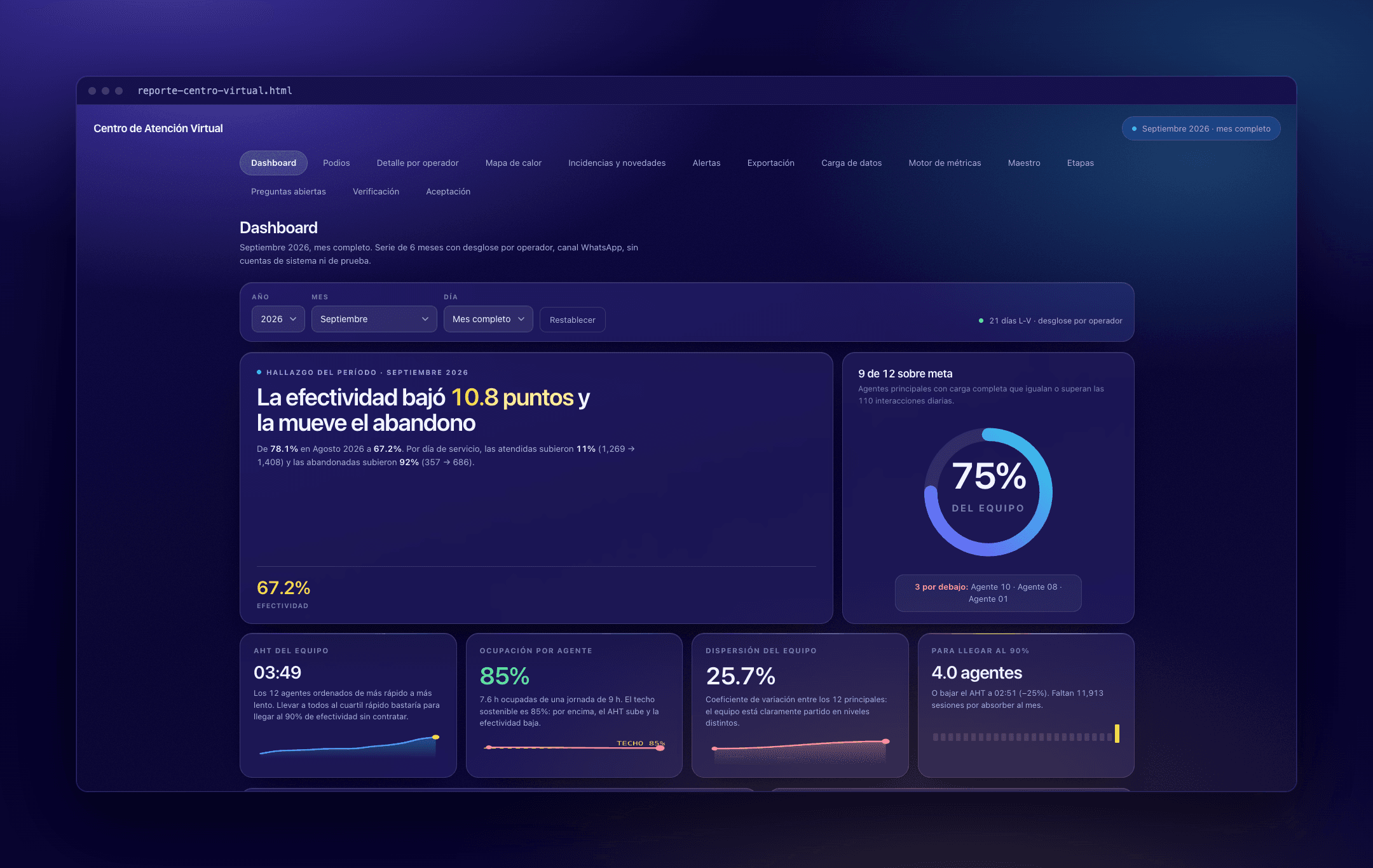
Contact center dashboard: the period's finding written in a headline, team goal attainment at 75%, and tiles for team AHT, occupancy, dispersion and agents needed to reach 90%.

All figures shown are sample data.
01/Problem

  • The monthly statistic was assembled by hand in spreadsheets: 30–45 minutes of manual work every month.
  • No breakdown per operator.
  • No context for absences, so a week of vacation looked the same as a bad week.

02/Source data

  • Exports from the customer service platform (WhatsApp), loaded into a monthly database.

03/Solution

  • Data loading and a metrics engine in Python, over a six-month series.
  • A dashboard with the period's finding written automatically.
  • Metrics adjusted by effective days, which neutralize vacations, leave and incidents.
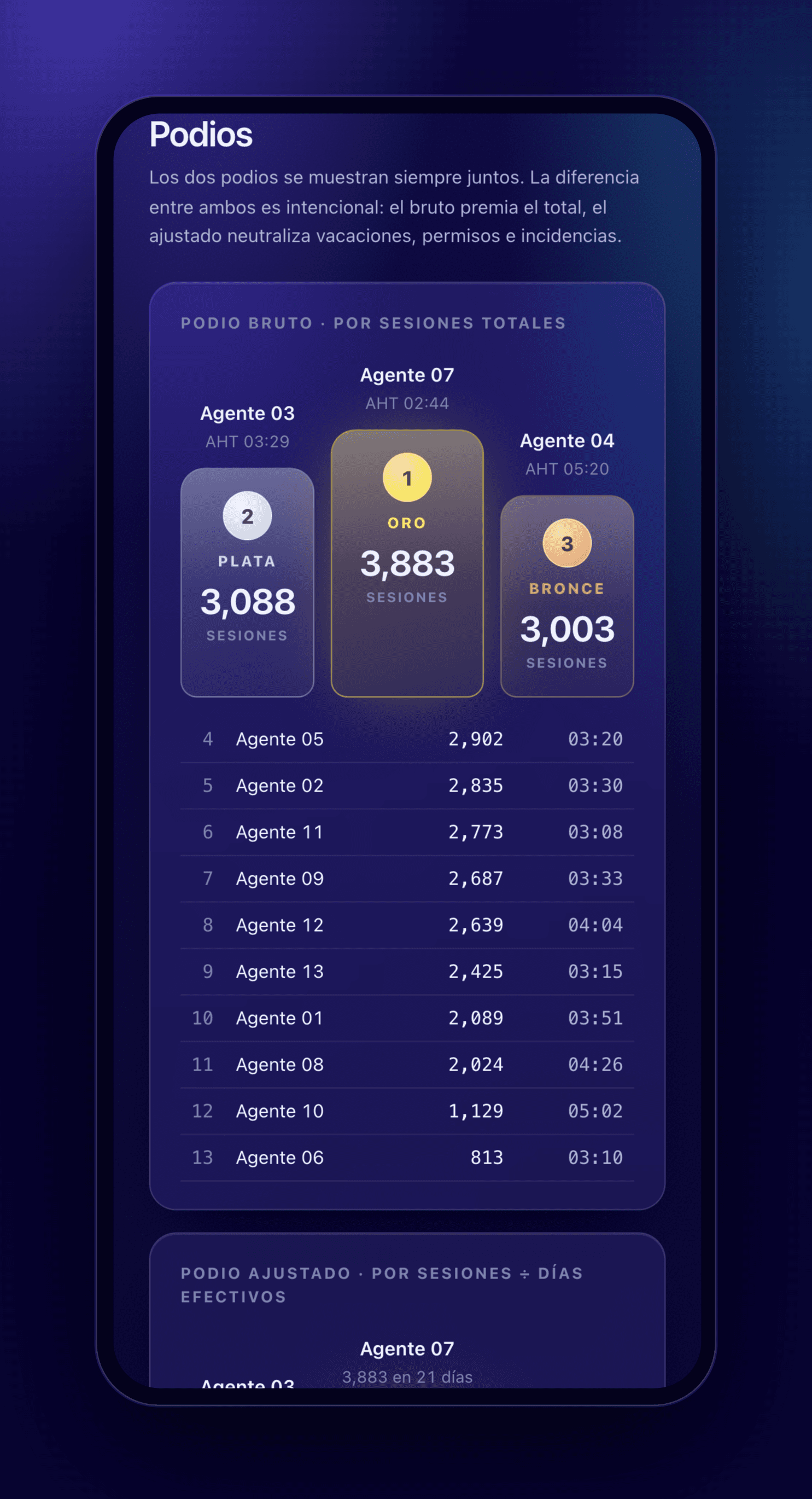
  • Raw vs. adjusted podium.
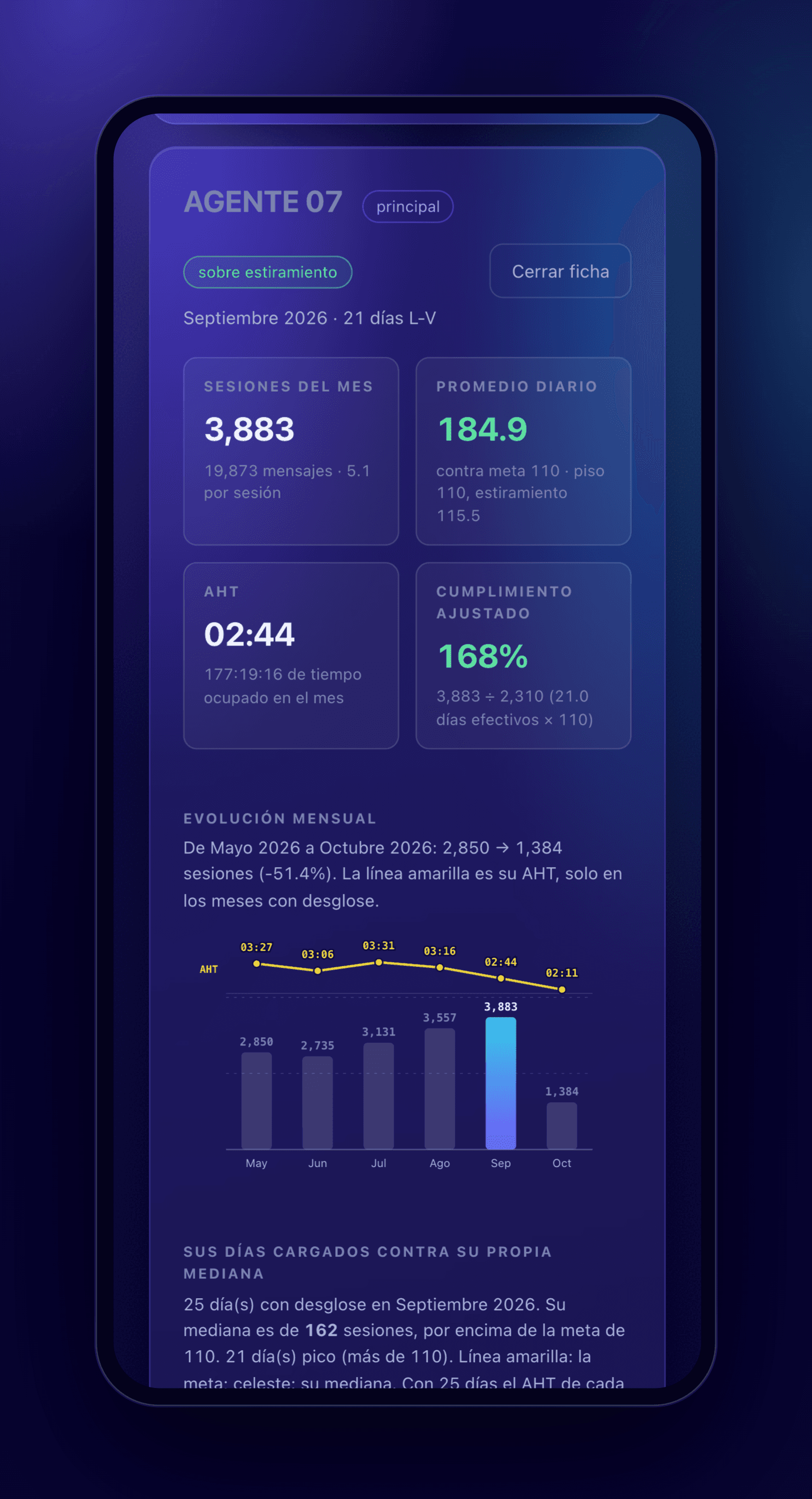
  • Per-operator detail with automatic notes, and an individual profile: monthly evolution and days against their own median.
  • An operator × day heatmap against the daily goal.
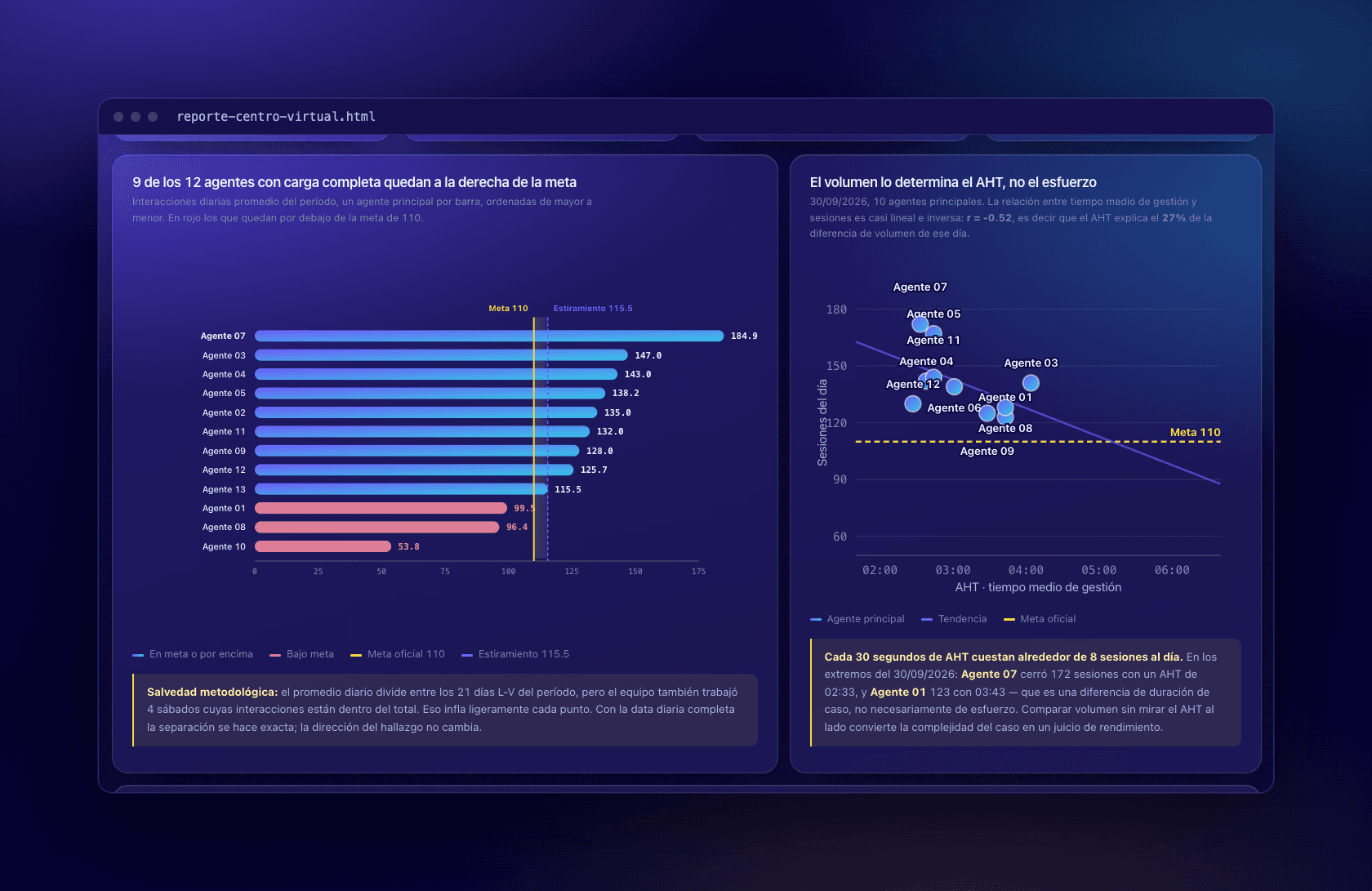
  • Statistical analysis: AHT vs. sessions correlation (r = −0.52) and team dispersion.

04/How it's built

  • Python
  • Claude Code
  • HTML/JavaScript

05/Impact

  • From 30–45 minutes of manual work to uploading 2 files.
  • The time that used to go into updating now goes into analysing and deciding.
  • Completed and presented to management.

All figures shown are sample data.
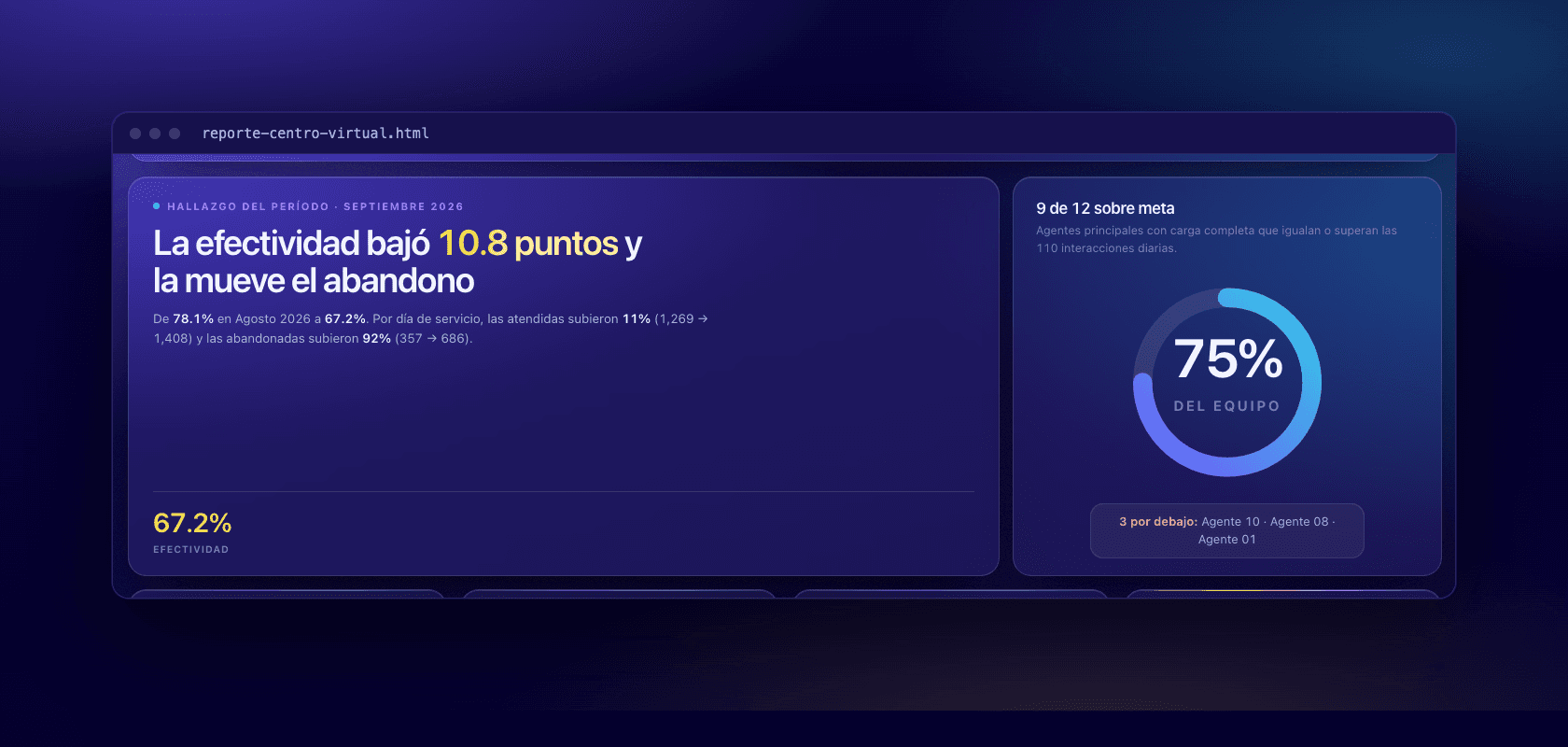
Finding card stating that effectiveness fell 10.8 points, driven by abandoned conversations, next to a ring showing 75% of the team at goal.
The period's finding, written automatically: what moved, and what is moving it.
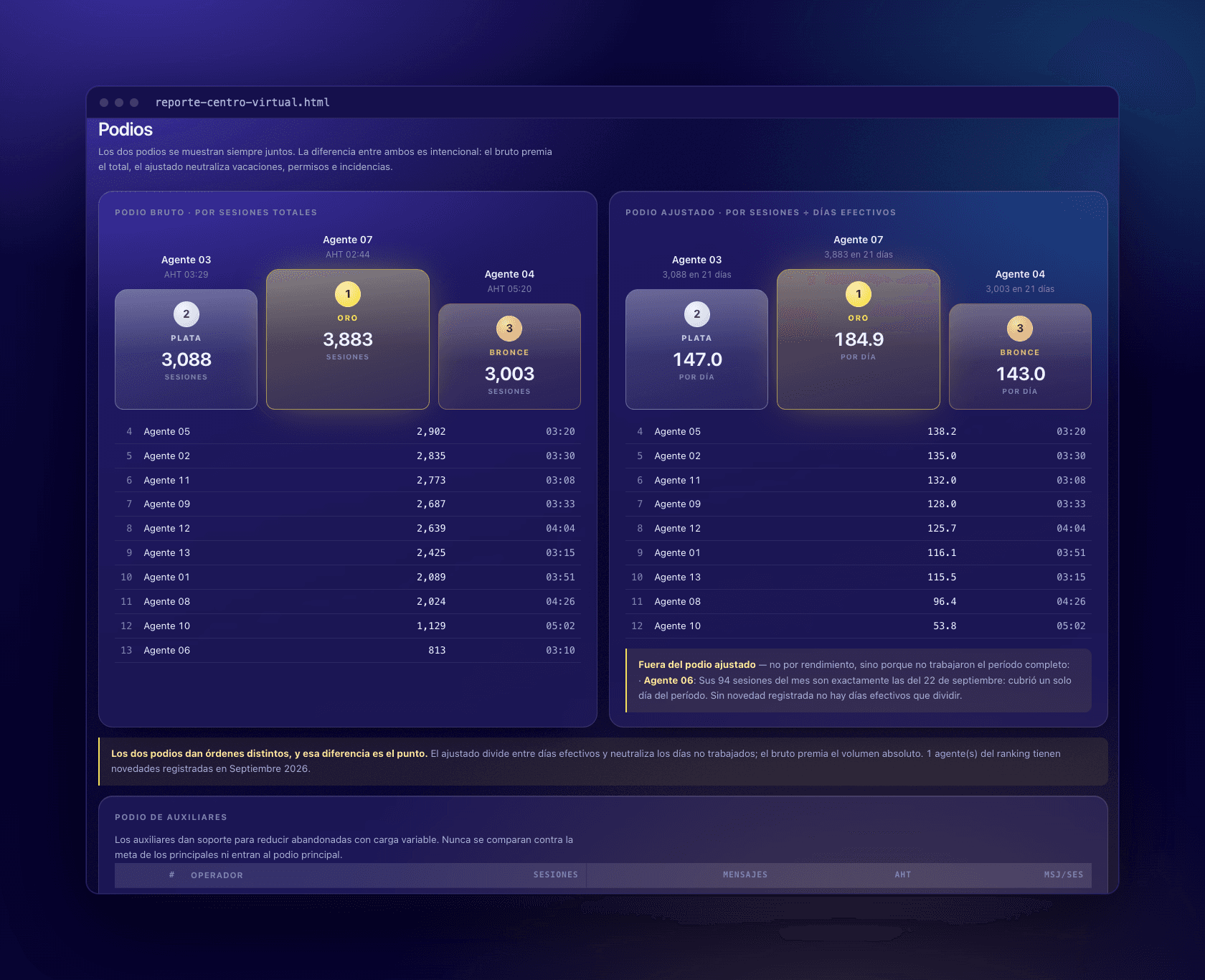
Two podiums side by side: one ranked by total sessions, one by sessions per effective day, with the full ranking below each.
Raw vs. adjusted podium. The adjusted one divides by effective days, so time off counts against no one.
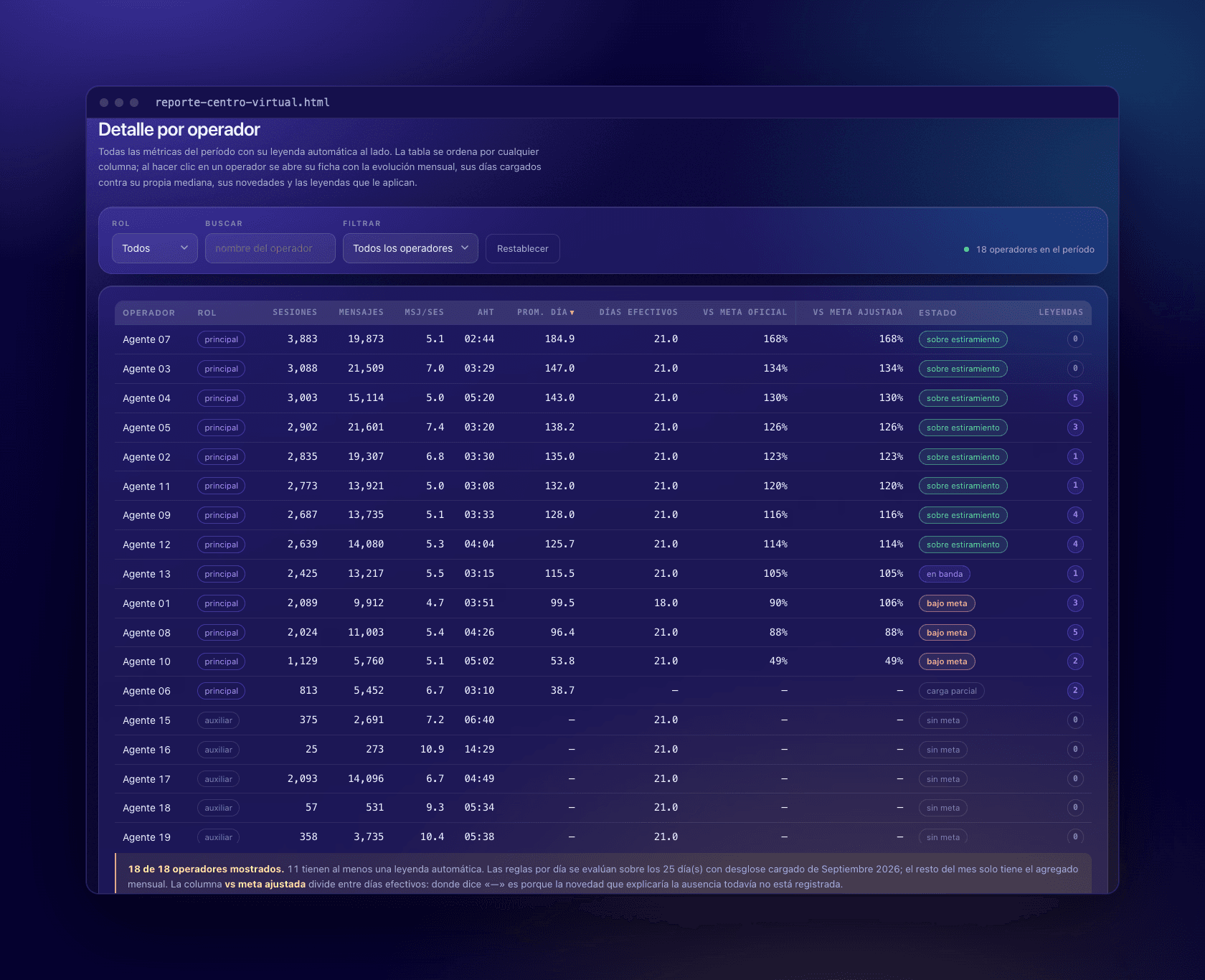
Sortable table of 18 operators with sessions, messages, AHT, daily average, effective days, goal attainment, status and a count of automatic notes.
Every metric per operator, with automatic notes where a number needs context.
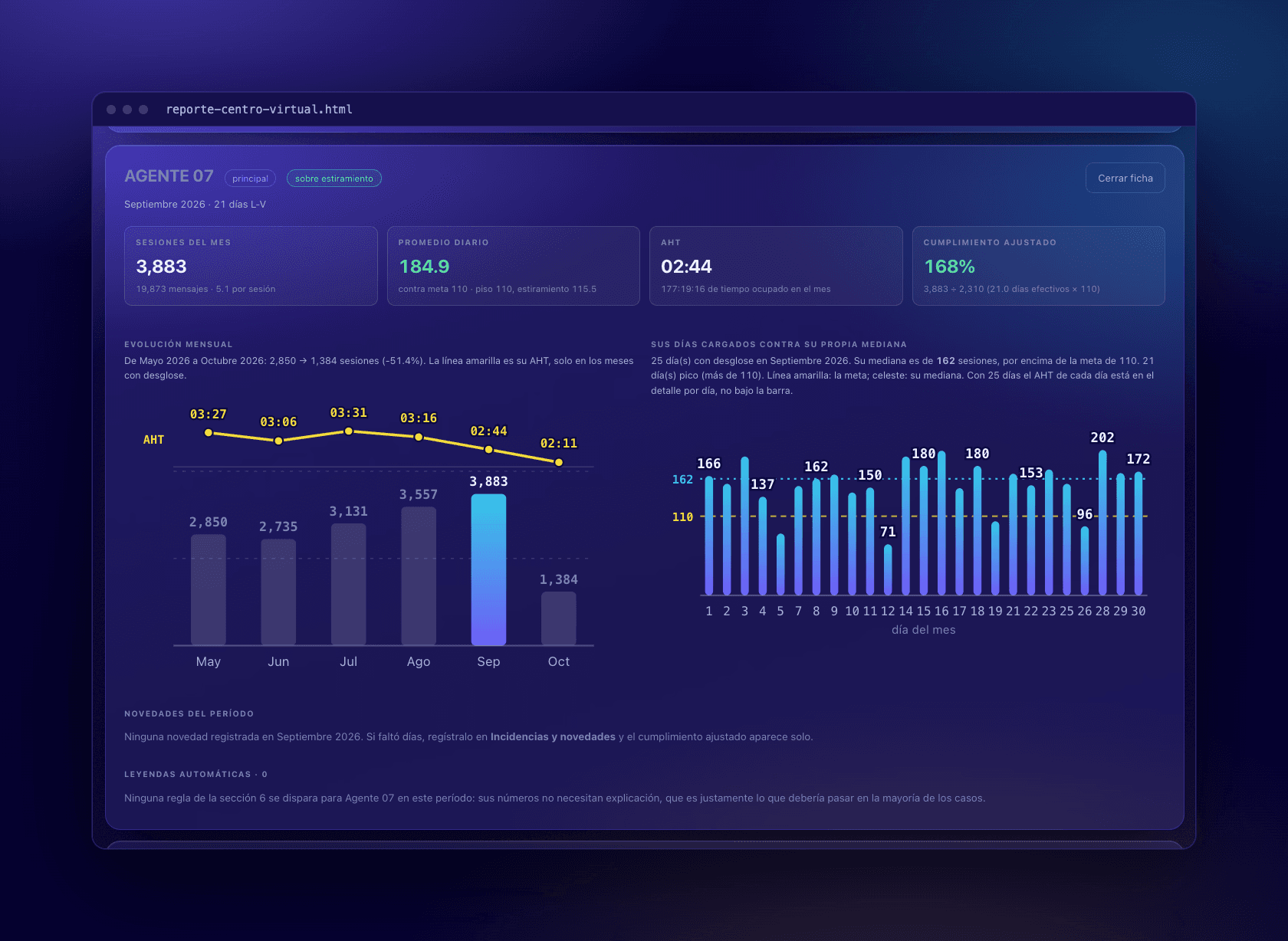
Operator profile with monthly sessions and AHT over six months, and a bar per day against the operator's own median and the goal.
An operator's profile: six-month evolution, and each day against their own median.
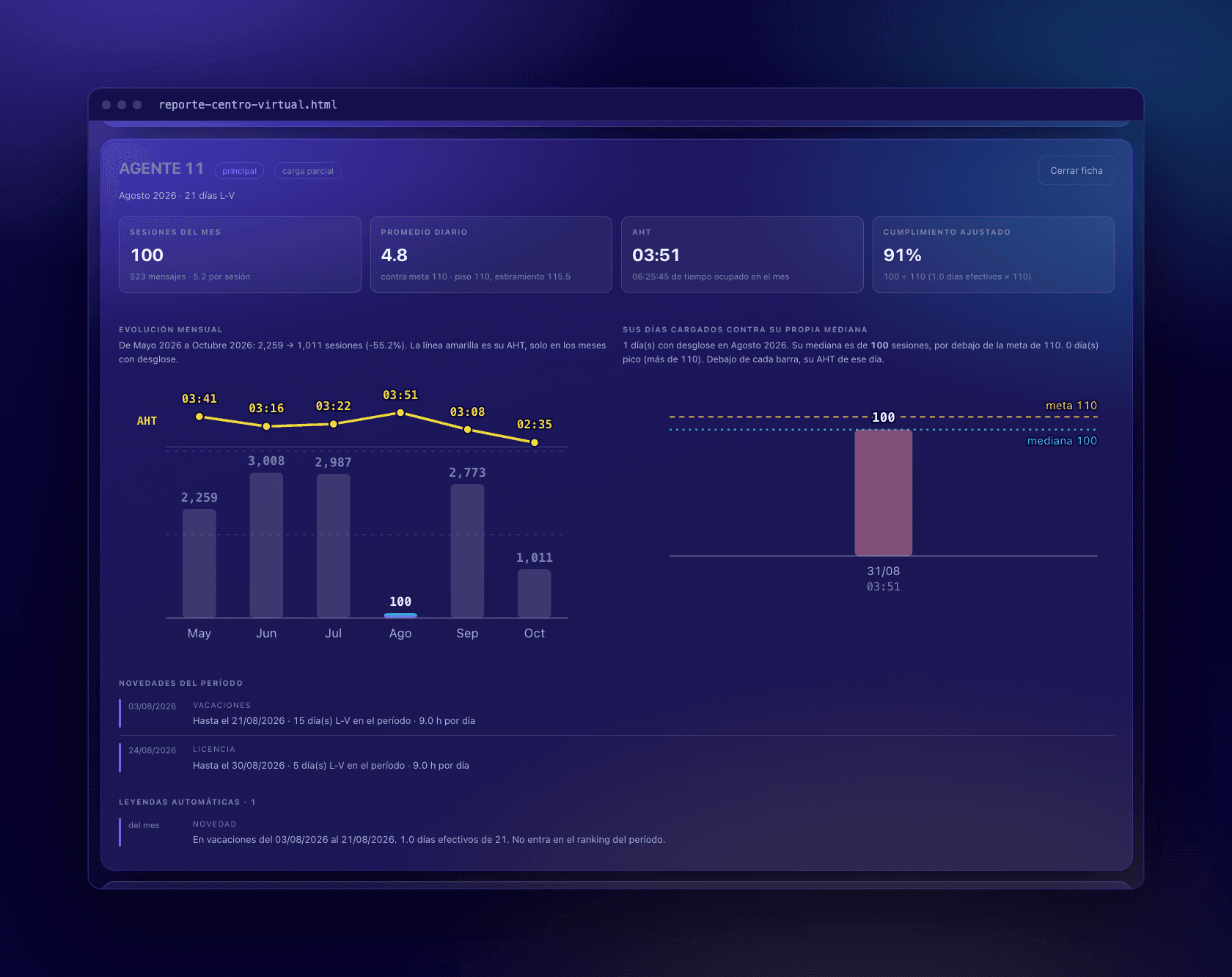
Operator profile for a month with vacation and leave registered, showing adjusted goal attainment and the absence periods listed.
The same profile in a month with vacation and leave: the absence is explained, not penalised.
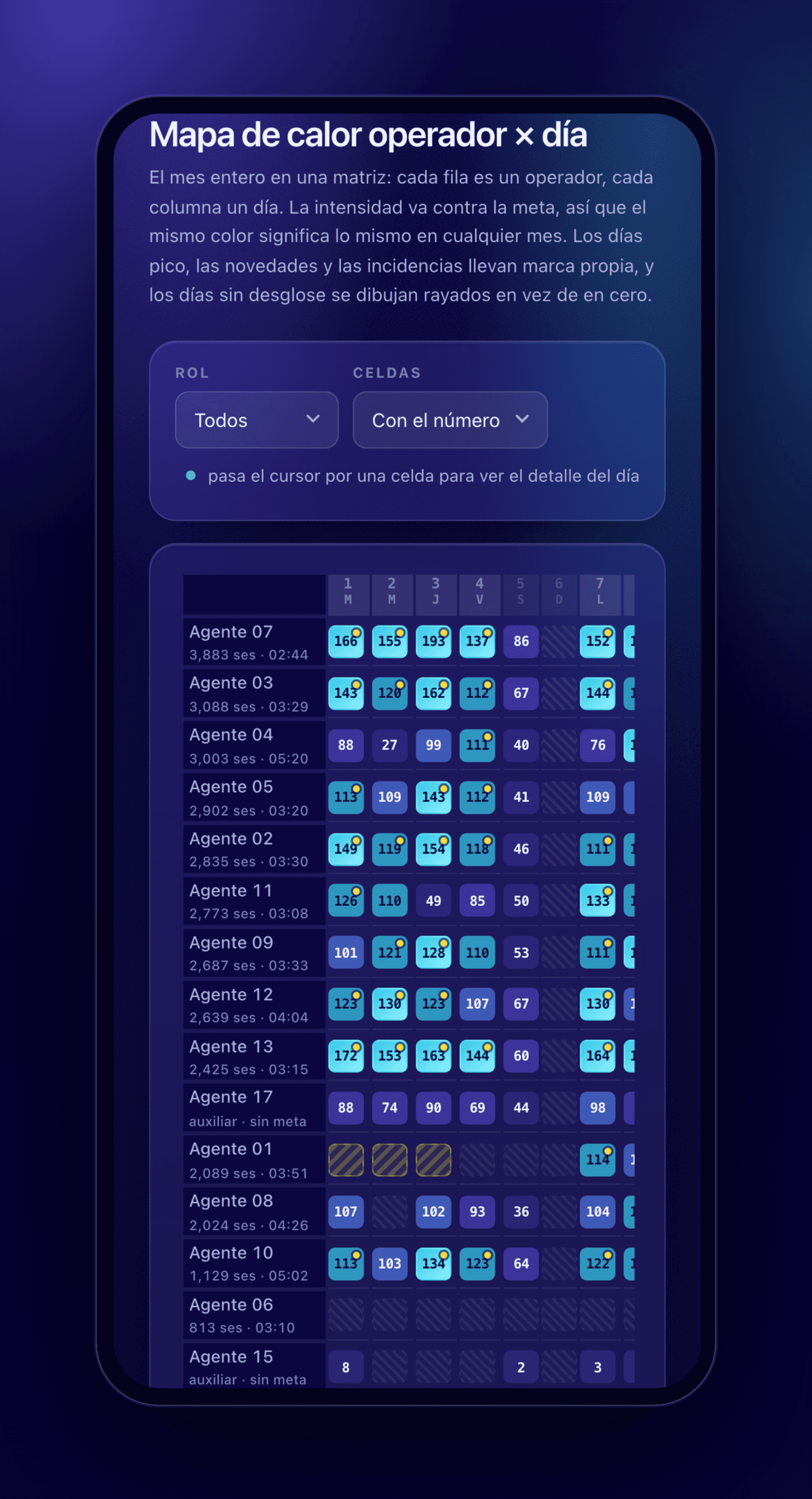
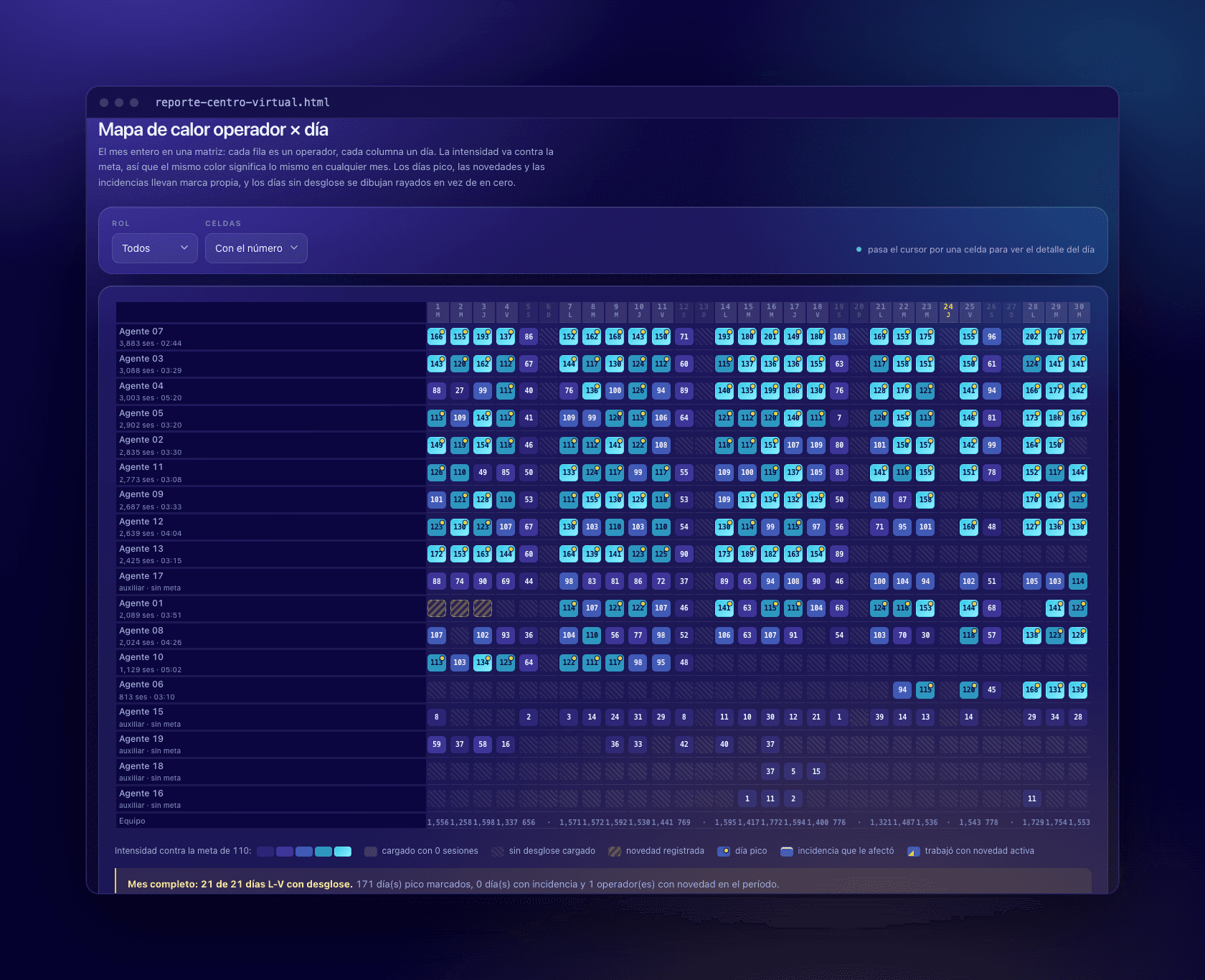
Heatmap with one row per operator and one column per day of the month, each cell shaded by sessions against the daily goal.
Operator × day heatmap against the daily goal, for the whole month at once.
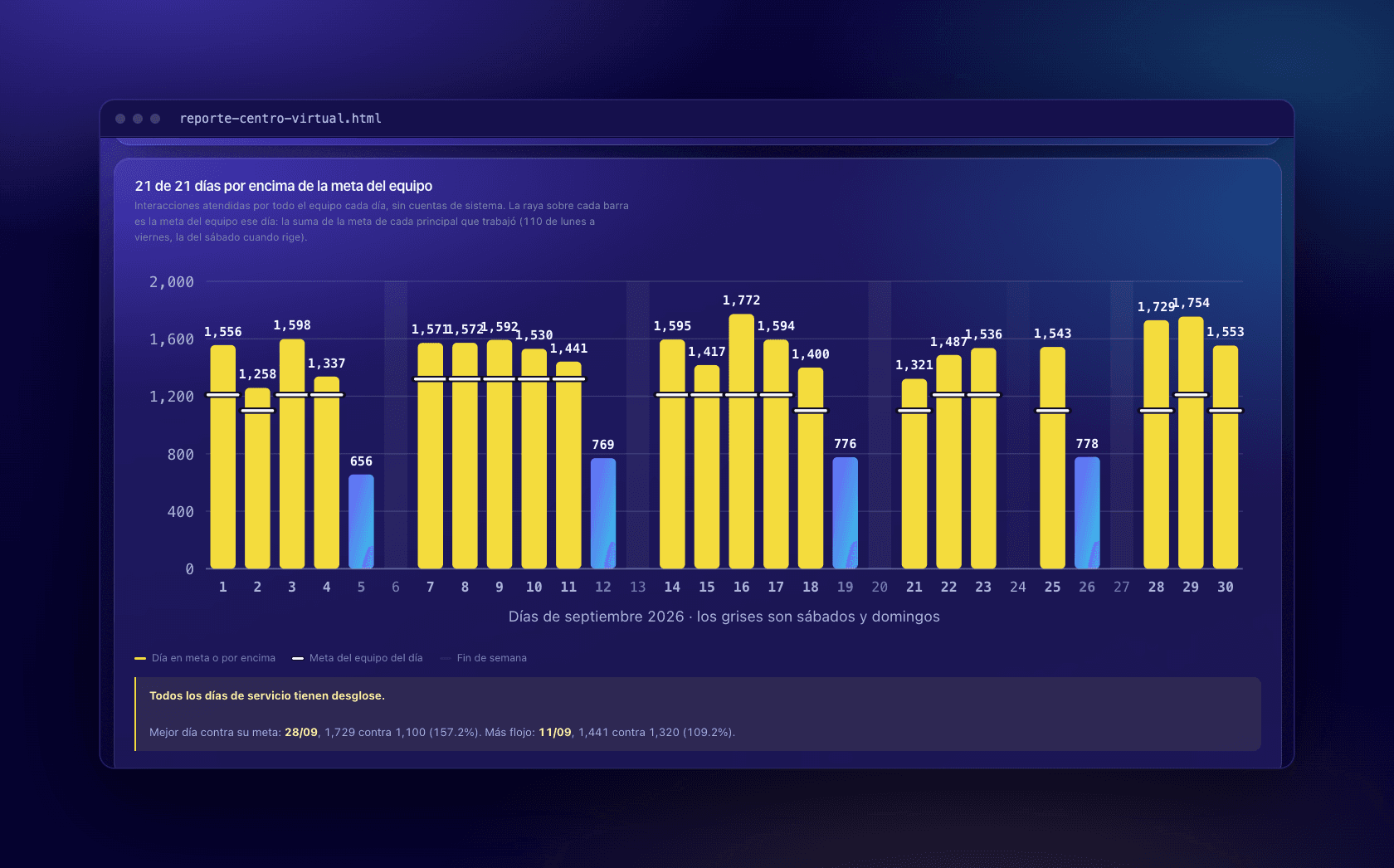
Bar chart of team interactions per day for a month, each bar marked with that day's combined team goal.
Team volume per day against that day's combined goal.
Left, daily average per operator against the goal of 110; right, a scatter plot of AHT against daily sessions with a downward trend line, r = −0.52.
Daily average against the goal, and AHT vs. sessions: r = −0.52, so handle time explains about a quarter of the difference in volume.

On a phone

The same dashboard, laid out for a phone screen.
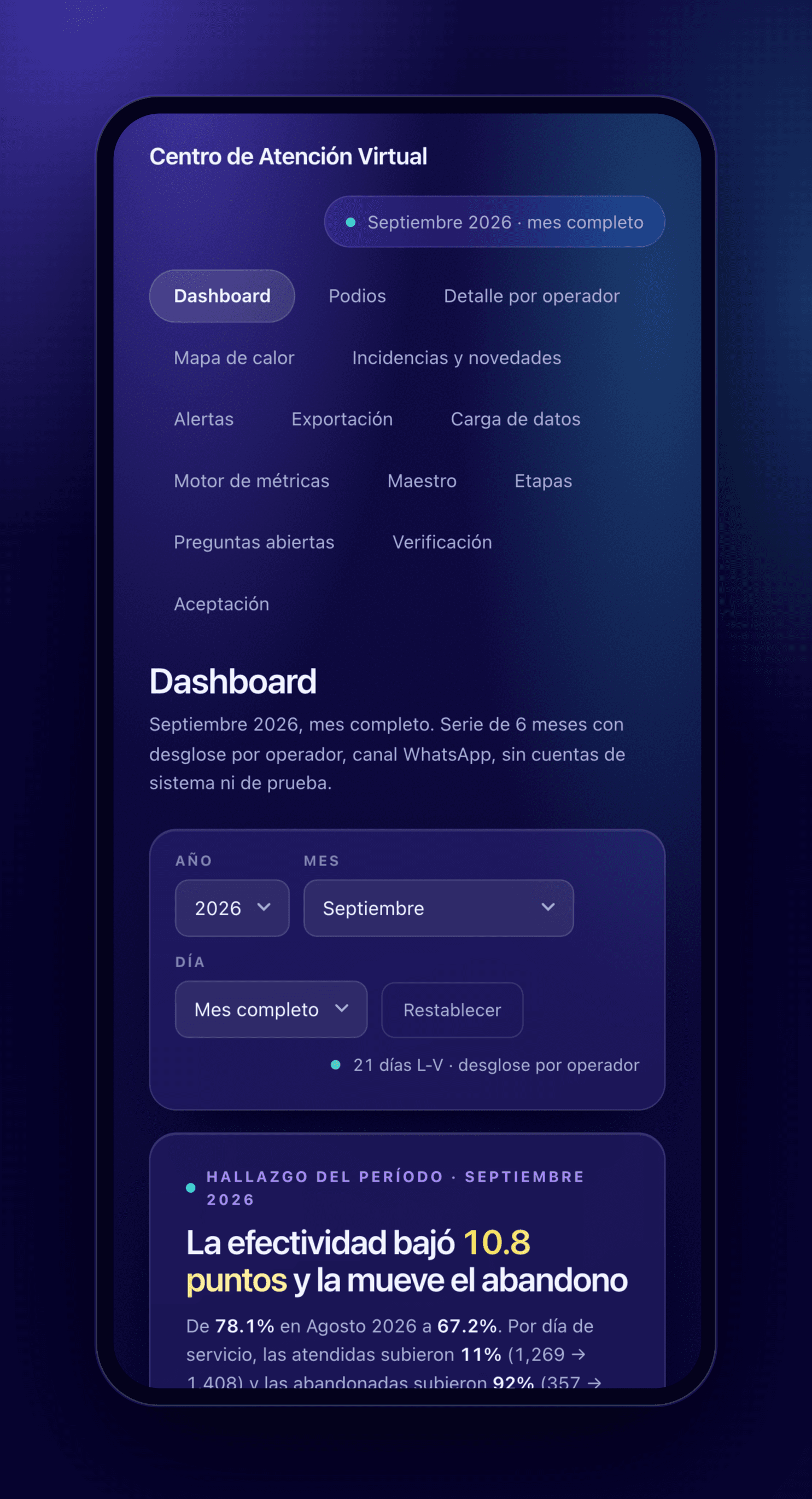
The dashboard on a phone, with the period's finding at the top.
The raw podium on a phone, with the ranking below.
An operator profile on a phone.
The operator × day heatmap on a phone.

Want something like this for your operation?